BENEFITS / ENSURANCE SAAS
Self-Service Access and Role Management
Replaced a manual workflow with a centralized, self-managed platform; cutting processing time by 72%.
Year
2025
Role
Senior Product Designer (Growth & Monetization)
Client
Paychex & Flock
72%
Reduction in processing time
500+
Employees self-managed
3 mo
End-to-end design & delivery
Overview
Structure
Team Members
- Product Owner
- Program manager
- Business analyst
- Researcher
- Dev team (12)
- UX manager
- UX Lead
- UX/UI designer
- Service architect
- Scrum master
My Role
- User Research
- UX/UI Design
- Product Thinking
- Narrative
Tools Used
- Jira
- Miro
- Webex
- Outlook
- Copilot
- Hotjar
Timeline
3 months
Case Study
The Problem
Internal users couldn't change users' roles and permissions on their own, which increased support tickets and development work.
Manual workarounds wasted users' time and increased the risk of costly errors.
Each unsupported enrollment request took 5-7 business days and was multiplied across hundreds of clients.
Supporting signals
Adding new employees required support tickets and manual development effort.
Data needed to be collected, validated and sent across teams. Changes were tracked through emails.
No centralized governance or clear permission structure.
Task
Design a self-service enrollment experience that reduced support dependency, clarified permissions, and fit the product's existing operational model.
85%
of HR teams reported enrollment errors
3 weeks
average time to complete enrollment cycle
40%
of employees confused by their benefits
User Research
Spoke directly with platform users to understand their pain points, day-to-day workflow, and where the experience was creating friction.
Pattern Alignment
Balancing the product's existing patterns with user needs without disrupting the experience.
Role Mapping
Mapped internal roles, governance rules, and permission boundaries before UI implementation so the system would support real operational needs.
Flow Validation
Validated the enrollment lifecycle against exceptions, support scenarios, and admin edge cases before moving deeper into delivery.
Cross-Team Review
Worked closely with product and engineering to keep the experience coherent while aligning with system constraints and delivery pressure.
Actions
Methodology
1. Empathize
User interviews & stakeholder sessions
2. Define
Problem framing & pain point mapping
3. Ideate
Flows, architecture & wireframing
4. Prototype
Hi-fi screens & interactive prototypes
5. Test
Post-launch Hotjar analysis
Definition
Design Strategy
Define the underlying architecture and logic before changing the UI.
Find what parts of the system work well and build around those.
With no design system, collaboration with the development team ensured the forward-facing UI remained cohesive throughout.
Solution
The Platform
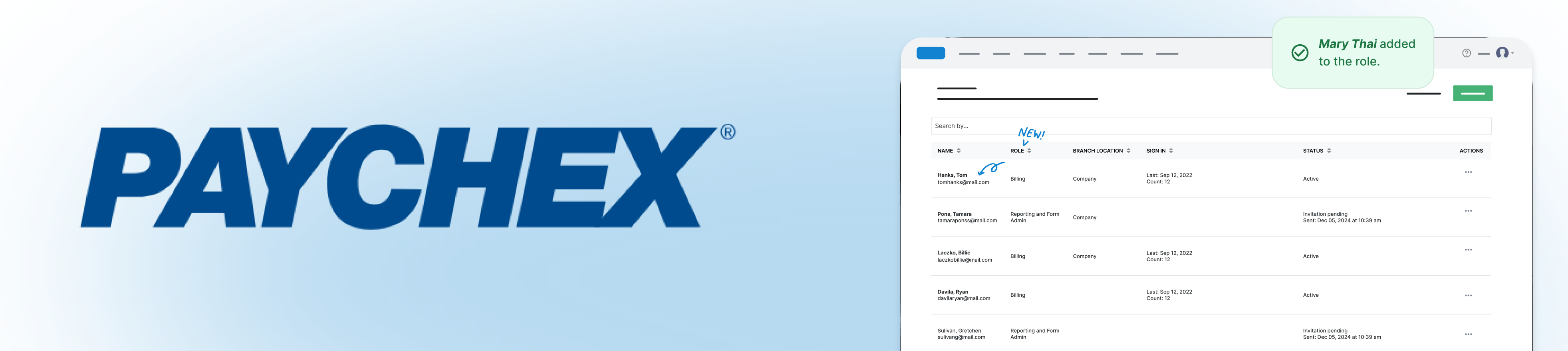
The dashboard below is an interactive example — click the tabs to explore the User Accounts and Roles & Permissions views.
User Accounts
Manage platform access, account status, and assigned permission roles.
| Name | Role | Branch Location | Sign In | Status | Actions |
|---|---|---|---|---|---|
Hanks, Tom tomhanks@mail.com | Benefits Admin | Company | Sep 12, 2022 | Active | ··· |
Pons, Tamara tamarapons@mail.com | Reporting & Form Admin | Company | Invitation sent | Invitation pending | ··· |
Laczko, Billie laczkobillie@mail.com | Billing | Company | Aug 24, 2022 | Active | ··· |
Davila, Ryan davilaryan@mail.com | Benefits Admin | Company | Aug 19, 2022 | Active | ··· |
Smith, Ava avasmith@mail.com | Forms Manager | Company | Jul 28, 2022 | Active | ··· |
Chen, Mia miachen@mail.com | Payroll Viewer | Company | Jul 11, 2022 | Active | ··· |
Reyes, Mateo mateoreyes@mail.com | Reporting Admin | Company | Invitation sent | Invitation pending | ··· |
Walker, Noa noawalker@mail.com | Benefits Admin | Company | Jun 30, 2022 | Active | ··· |
Validation
Results
Outcome Signals
35%
Security incidents
Fewer unauthorized access incidents after centralizing role governance and access control.
4.6/5
User experience improvements
Positive internal feedback on ease of access, navigation, and role clarity inside the platform.
100%
Compliance and audit
Audit-ready role structure and clearer permission ownership across supported user types.
+18%
Authentication success rate
Improved successful access outcomes after clarifying permissions and reducing friction in account setup.
32%
Cost-benefit analysis
Lower support effort tied to manual account changes, access requests, and user administration tasks.
8.9/10
Security team feedback
Strong qualitative confidence from internal stakeholders in the updated access model and control patterns.
Outcomes
Impact
Following the rollout of the redesigned self-service workflow, product, support, and security reporting showed improvements in operational efficiency, access clarity, and compliance.
| Outcome | Result |
|---|---|
| Processing time | 72% reduction after centralizing request, approval, and role-assignment workflows |
| Self-service adoption | 500+ employees able to manage standard access tasks independently |
| Unauthorized-access incidents | 35% reduction through clearer role governance and access controls |
| Authentication success | 18% increase after reducing setup friction and clarifying permissions |
| Support effort | 32% reduction in effort related to manual account changes and access requests |
| User experience rating | 4.6/5 from internal user feedback on access, navigation, and role clarity |
| Security-team feedback | 8.9/10 rating for the updated access model and control patterns |
| Compliance readiness | 100% of supported roles had a documented owner and audit-ready permission structure |
Measurement period: Post-launch product, support, and security reporting. Metrics reflect the released self-service access and role-management workflow.
Learnings
Architecture before UI
Investing time in mapping the permission model before designing screens prevented costly rework. The logic had to be airtight before any pixel moved.
Trust through constraints
Working without a design system forced tight collaboration with engineers. Constant syncs kept the UI cohesive and the handoff smooth even under timeline pressure.


NDA notice: Parts of this presentation,including some screens and project details,have been redacted or blurred due to a confidentiality agreement signed with the client. The work shown is real; full details are withheld to protect client privacy.
Tools
Tags
More work
Other Projects
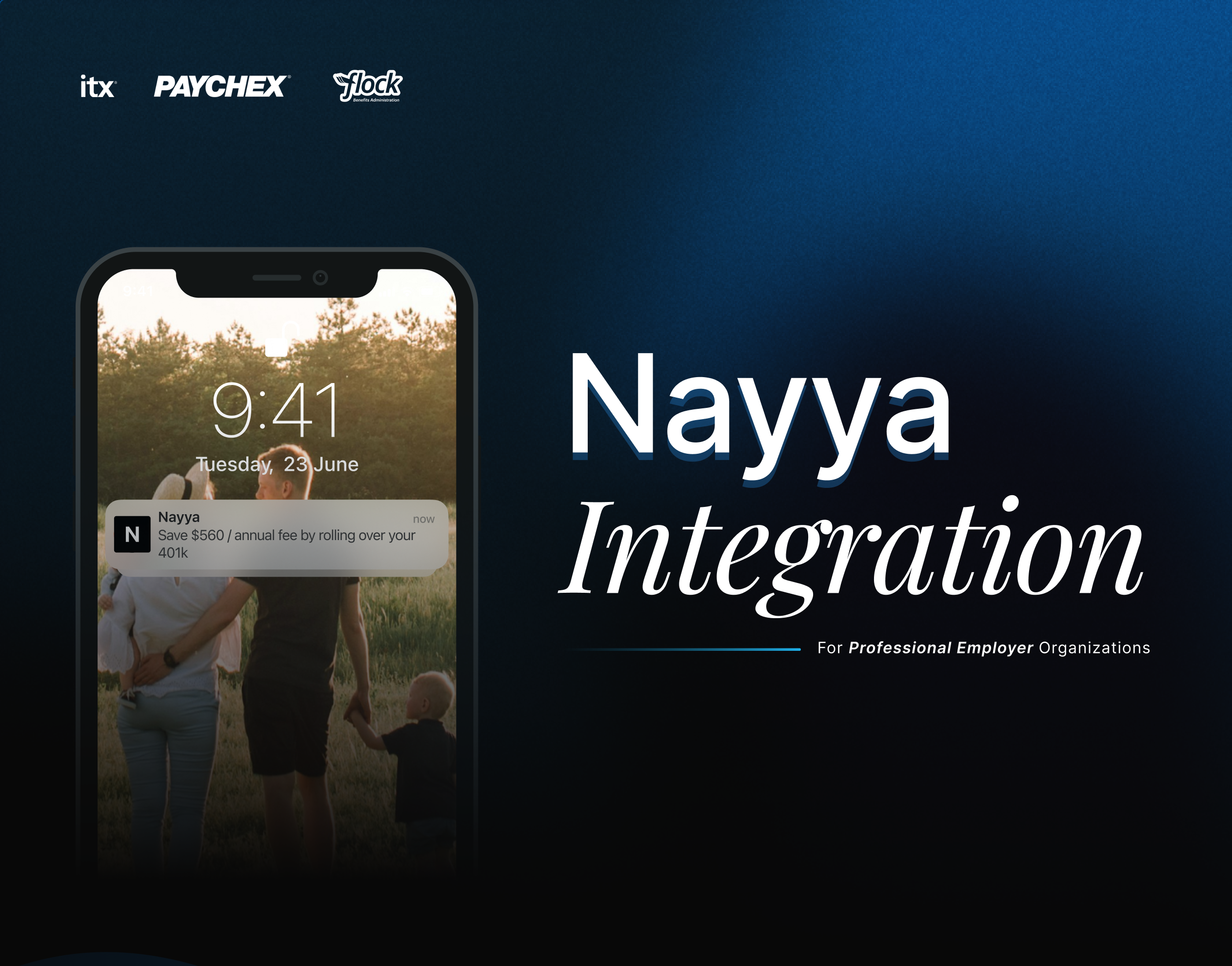
Nayya Integration
Designed the integration of Nayya as an AI-powered benefits tool, guiding employees to choose coverage that matched their needs.
View case study →
Flock Accessibility Audit & Design System Unification
Led an accessibility audit and helped unify the design system. This reduced pattern debt, made the product more consistent, and improved collaboration between design and development teams.
View case study →
I-9 & E-Verify Integration
Redesigned the I-9 and E-Verify integration for Flex, increasing post-launch completion from 69% to 81% and reducing completion time by 26%.
View case study →